Add your script
Paste your words into the studio. Your script is saved on this device.
 cuenana
A teleprompter that follows your voice.
Keep your script close to the camera, find your rhythm, and record a video that sounds like you.
Use Cuenana free with your own OpenAI API key. Provider usage charges apply.
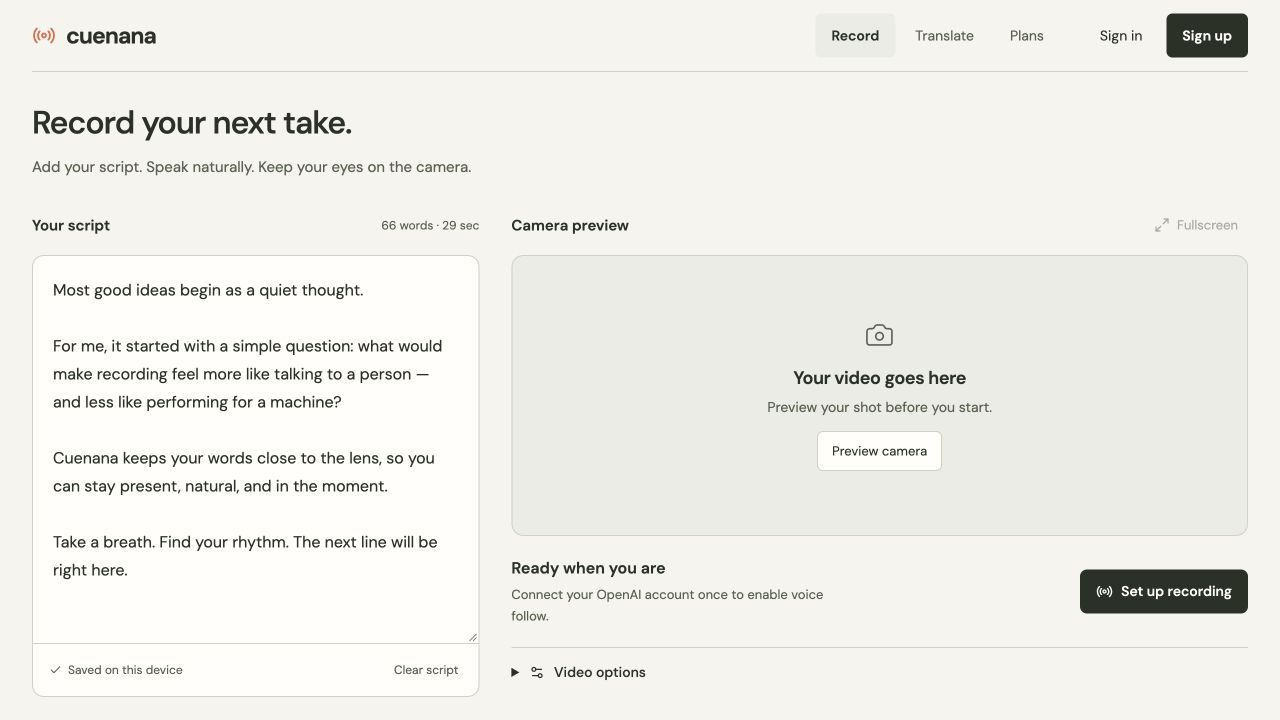
Your script and your camera, together.
Pause, take a breath, or find a better way to say it. Cuenana follows your voice as you speak, so your script moves with you.
A little preparation. Then it’s just you and your camera.
Paste your words into the studio. Your script is saved on this device.
Preview your camera and record while the prompt follows your voice.
Review and download your recording. The prompt stays out of your video.
When you’re ready, translate your recording into another language. Lip sync is available as a separate optional step.
Explore translationOpen the studio, add your script, and make your next video feel a little more like you.
Open the studioA camera, a microphone, and an OpenAI API key for voice follow. Cuenana is free with your own key; OpenAI bills your API usage directly.
Translation and lip sync use separate optional providers.